In part 5 the phone system was completed: every phone can call every other phone and the outside world. Now for the fun part. In this part we give Home Assistant its own extension, so you can call it to hear the weather forecast or switch the lights in the living room.
What you need
- Home Assistant with the ha-sip add-on (Home Assistant now calls add-ons apps). ha-sip registers with MikoPBX as a regular SIP phone, answers calls, reads out text using Home Assistant’s text-to-speech, and listens for the keys you press.
- A text-to-speech (TTS) engine in Home Assistant that speaks your language. More on that below.
- An extension in MikoPBX for Home Assistant. Following my numbering plan, services get a number in the 5x range: Home Assistant is 50.
Step 1: an extension for Home Assistant
Create extension 50 in MikoPBX, exactly like the phones in part 3, with the same network filter. Don’t add it to the queue for outside calls from part 5: Home Assistant should only answer when you call it on purpose.
Step 2: configure ha-sip
Install ha-sip by adding https://github.com/arnonym/ha-plugins as a repository in the app store, and install the app. Its configuration is in YAML. These are the parts that matter, with the IP address of the NAS replaced by a placeholder:
sip_global:
  port: 5060
  cache_dir: /config/sip-cache/
sip:
  enabled: true
  registrar_uri: sip:<ip-of-the-nas>
  id_uri: sip:50@<ip-of-the-nas>
  realm: '*'
  user_name: '50'
  password: <sip-password-from-mikopbx>
  answer_mode: accept
  settle_time: 1
  incoming_call_file: /config/sip-1-incoming.yaml
tts:
  engine_id: tts.voxtral_tts
  language: nl
  voice: voice_3145
webhook:
  id: sip_call_webhook_id
sensors:
  enabled: true
  entity_prefix: ha_sip
sipis the SIP account: extension 50 on MikoPBX. Quote the user name: ha-sip expects text, and a bare50would be read as a number.answer_mode: acceptmakes ha-sip answer incoming calls. Withlistenit would only report them.incoming_call_filepoints to the menu file from step 3.cache_diris where spoken texts are stored whencache_audiois on.ttspicks the TTS engine by its entity ID and sets the language and voice. I use Mistral’s Voxtral, more on that below. Note thatvoiceneeds the voice’s ID, not its name:voice_3145is Lotte, a Dutch voice. WithLotteit doesn’t work.webhookandsensorslet Home Assistant see what ha-sip is doing, for example in automations. The menu below doesn’t need them.
The configuration also contains two more accounts, sip_2 and sip_3. Leave them disabled.
Both ha-sip and MikoPBX use port 5060. That’s fine in my setup, because Home Assistant doesn’t run on the NAS but on a separate Odroid.1 If you do run both on one machine, give one of them a different SIP port.
Step 3: the menu
What happens when you call 50 is defined in a YAML file, referenced in the ha-sip configuration as incoming_call_file. Mine looks like this. The spoken messages are in Dutch, so I’ve translated them in the comments:
allowed_numbers:
    - "20"
    - "21"
    - "22"
    - "23"
    - "31"
    - "32"
    - "33"
    - "41"
answer_after: 2
menu:
    id: hoofdmenu
    # "Press 1 for lighting, 2 for weather"
    message: Kies 1 voor verlichting, 2 voor weer.
    choices:
        '1':
            id: verlichting
            # "Press 1 for bright, 2 for cosy."
            message: Kies "1" voor helder, "2" voor gezellig.
            cache_audio: true
            choices:
                '1':
                    id: helder
                    # "The light has been set to bright."
                    message: Het licht is op "helder" gezet.
                    cache_audio: true
                    action:
                        domain: scene
                        service: turn_on
                        entity_id: "scene.1_woonkamer_helder"
                    post_action: hangup
                '2':
                    id: gezellig
                    # "The light has been set to cosy."
                    message: Het licht is op "gezellig" gezet.
                    cache_audio: true
                    action:
                        domain: scene
                        service: turn_on
                        entity_id: "scene.4_gezellig"
                    post_action: hangup
                '#':
                    id: up_1
                    post_action: jump hoofdmenu
                'default':
                    id: wrong_code_1
                    # "Invalid choice"
                    message: Ongeldige keuze.
                    cache_audio: true
                    post_action: return
        '2':
            id: weer
            # "Press 1 for today, 2 for tomorrow."
            message: Kies "1" voor vandaag, "2" voor morgen.
            cache_audio: true
            choices:
                '1':
                    id: weer_vandaag
                    handle_as_template: true
                    message: >
                        {{ states.input_text.weersverwachting_vandaag.state }}
                    cache_audio: false
                    post_action: hangup
                '2':
                    id: weer_morgen
                    handle_as_template: true
                    message: >
                        {{ states.input_text.weersverwachting_morgen.state }}
                    cache_audio: false
                    post_action: hangup
                '#':
                    id: up_2
                    post_action: jump hoofdmenu
                'default':
                    id: wrong_code_2
                    message: Ongeldige keuze.
                    post_action: return
How it works:
allowed_numberslists the extensions that Home Assistant answers. Calls from anywhere else, including the outside line, are ignored. You don’t want a stranger switching off your lights.answer_afterwaits two seconds before answering. Without that delay, the start of the menu was sometimes cut off.menuis the main menu. Every item inchoicesis a key on the phone. A choice can open a submenu with its ownmessageandchoices, or run anaction: any Home Assistant service, here a scene that sets the lights in the living room.post_actionsays what happens next:hangupends the call,returngoes back one level, andjump hoofdmenugoes back to the main menu. The#key always takes you back, anddefaultcatches keys that aren’t in the menu.cache_audio: truestores the spoken text, so it doesn’t have to be generated again for every call. That only works for fixed texts. The weather forecast changes, so there it’sfalse.handle_as_template: truetreats the message as a Home Assistant template. That’s how the weather forecast gets in: the message is simply the state of a text helper.
Step 4: the weather forecast
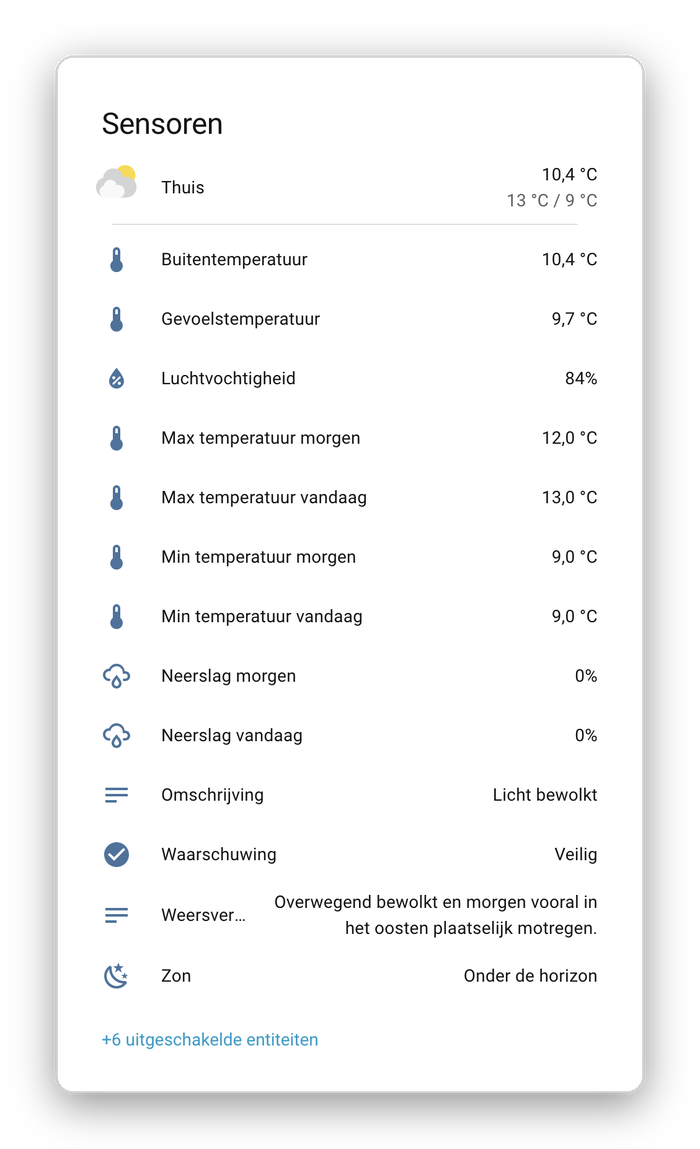
The weather menu reads the state of two text helpers: input_text.weersverwachting_vandaag and input_text.weersverwachting_morgen (Dutch for “weather forecast today” and “tomorrow”). Something has to fill those with a readable sentence.
The data comes from the KNMI, the Dutch national weather service. The KNMI integration from HACS gets it via Weerlive and turns it into a set of sensors: minimum and maximum temperature and chance of rain for today and tomorrow, weather warnings, and a short written forecast. That last one is the tricky part. It’s updated a few times a day, and what it describes shifts with the time of day: at night it’s about “tonight” and “during the day”, in the morning about “this morning”, and in the afternoon it starts mixing in tomorrow.
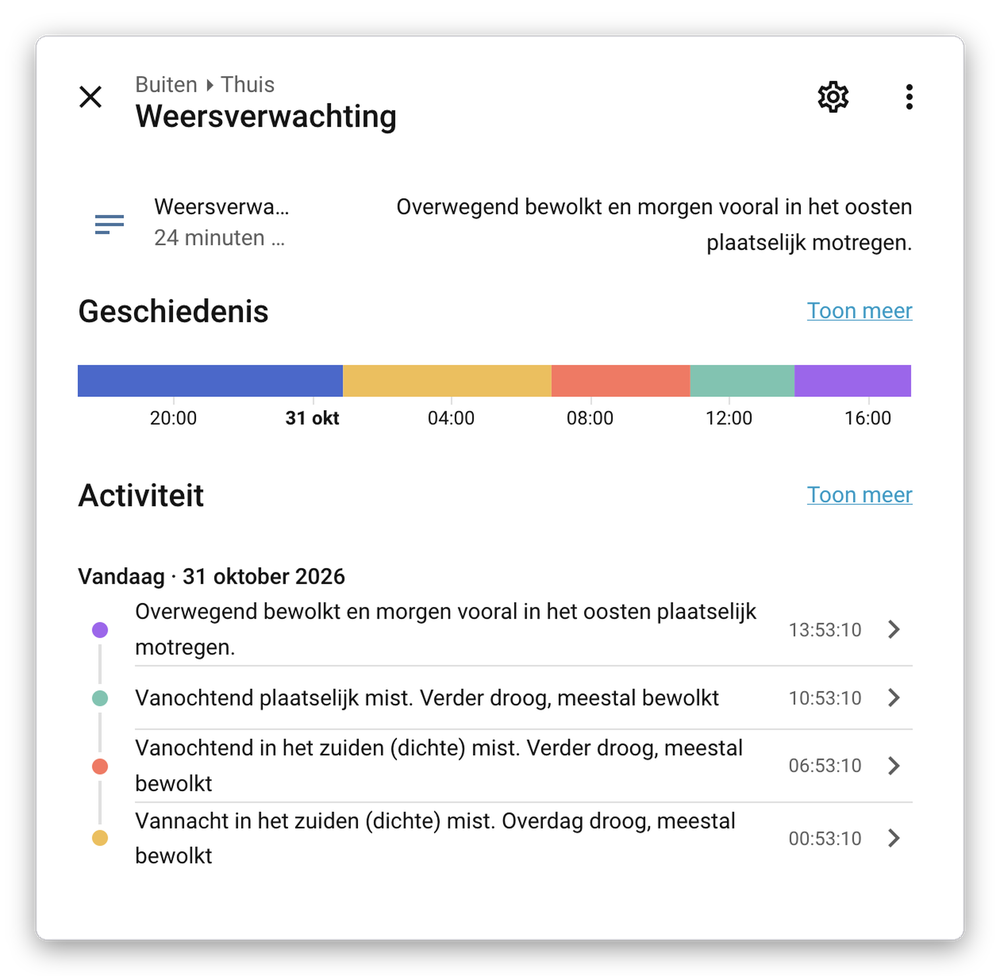
Read out verbatim at the wrong moment, that’s confusing. Turning a handful of numbers and a free-text summary into one natural sentence with templates is possible, but tedious and stiff.
So I let a language model do it. An automation triggers whenever one of the four sensors changes, and asks a conversation agent to write the forecast. In my case that’s Mistral AI, via the Mistral AI Conversation integration2 from HACS, but any conversation agent that HA supports (OpenAI, Anthropic, Google, or a local model via Ollama) works the same way. The answer goes into the text helper:
alias: Weersverwachting morgen
triggers:
  - trigger: state
    entity_id:
      - sensor.knmi_weersverwachting
      - sensor.knmi_max_temperatuur_morgen
      - sensor.knmi_min_temperatuur_morgen
      - sensor.knmi_neerslag_morgen
actions:
  - action: conversation.process
    data:
      agent_id: <your-conversation-agent>
      language: nl
      text: >-
        Write a short, factual weather report for tomorrow, in Dutch, to be
        read aloud. Only describe tomorrow. Note that the written forecast
        covers today and tomorrow, or tonight and tomorrow, depending on the
        time of day. Don't use Markdown.

        - Minimum temperature: {{ states('sensor.knmi_min_temperatuur_morgen') }} °C
        - Maximum temperature: {{ states('sensor.knmi_max_temperatuur_morgen') }} °C
        - Chance of rain: {{ states('sensor.knmi_neerslag_morgen') }} %
        - Forecast: {{ states('sensor.knmi_weersverwachting') }}
    response_variable: weersverwachting
  - action: input_text.set_value
    target:
      entity_id: input_text.weersverwachting_morgen
    data:
      value: "{{ weersverwachting.response.speech.plain.speech }}"
mode: single
A few things worth knowing:
- No Markdown. Language models love bullet points and bold text. A text-to-speech engine reads those asterisks out loud, or stumbles over them. Telling the model explicitly to write plain text fixes that.
- The 255-character limit. An
input_texthelper holds at most 255 characters. If the model’s answer is longer than the helper’s maximum length, the action fails and the helper keeps its old value. So set the maximum length to 255 and ask for a short report. If you want a safety net, cut the answer off in the template:speech[:255]. - Cloud dependency. This sends my sensor values to Mistral every time they change. That’s weather data, not exactly a secret, and it’s a few calls a day. But if the service is down, the helper simply keeps the previous forecast.
The forecast for today works the same way, with today’s sensors and input_text.weersverwachting_vandaag.
Next up
In the last part, we build a kitchen timer, entirely in MikoPBX, without Home Assistant.
-
I chose a long time ago to run Home Assistant on a separate machine, because Synology doesn’t ship drivers for most USB devices. That makes Zigbee sticks and similar hardware hard to use on the NAS. In case you’re wondering: it’s an Odroid N2+ with 4 GB of RAM, and Home Assistant runs fine on it. ↩
-
I should migrate this to use the Homestral-provided AI Conversation service. I started out with the Mistral AI Conversation integration, and later added Homestral, since the former does not support Voxtral 3 yet. ↩